DiskDigger Pro file recovery
Defiant Technologies, LLCTools
3.3369.00 Reviews
- Version
- 1.0-pro-2026-03-28
- Installs
- 500.00K
- Age Rating
- Everyone
Screenshots
Our Review of DiskDigger Pro file recovery
 Analysis by Appyee
If you've ever accidentally deleted a photo or important file from your phone, you know the sinking feeling that follows. It's like watching your memories dissolve into thin air. But fear not! DiskDigger Pro file recovery is here to save the day. It’s your digital lifeguard, diving into the depths of your device to retrieve lost treasures.
A Deep Dive into DiskDigger Pro
Let's start with the basics. DiskDigger Pro file recovery is an app designed to help you recover deleted files from your Android or iOS device. Whether it's photos, documents, or videos, this app works its magic to bring them back.
Getting Started
The installation process is a breeze. Just download it from your app store, and you’re good to go. Once you open the app, you're greeted with a straightforward interface that even the least tech-savvy among us can navigate. The main menu offers options for a basic scan or a full scan, depending on how deep you need to dig.
Scanning Features
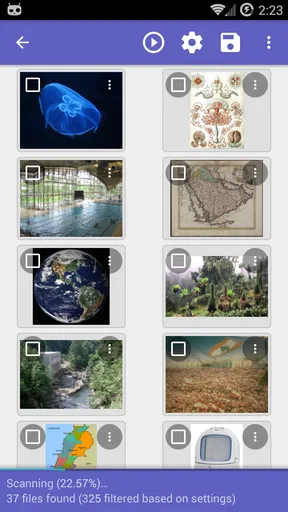
When you initiate a scan, the app sifts through your device's storage. The basic scan quickly identifies recently deleted files. If you need to reach further back in time, the full scan is your best bet. It’s a bit slower, but thoroughness is its middle name. Plus, you have the option to filter results by file type, which is super handy if you're looking for something specific.
Recovery Process
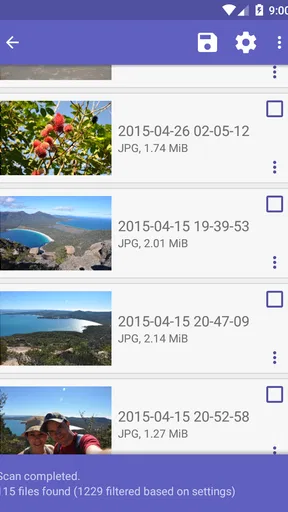
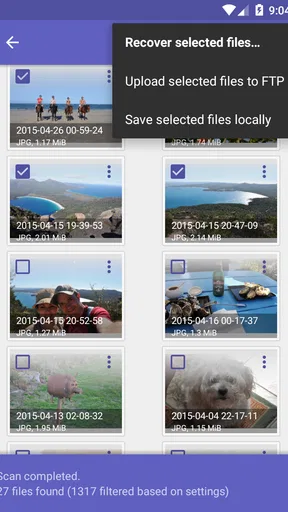
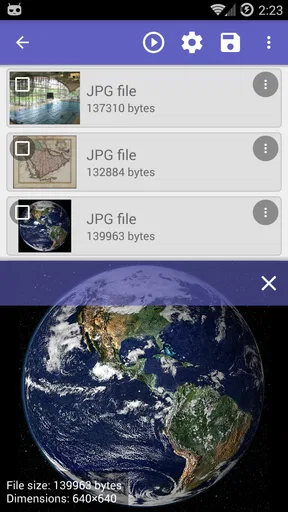
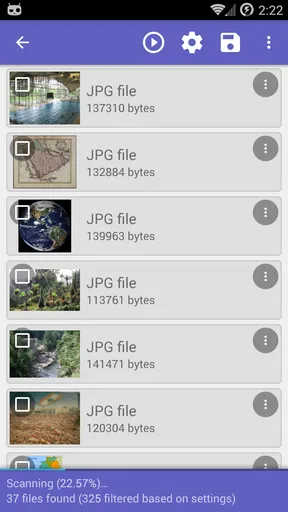
Once the scan is complete, DiskDigger Pro presents you with a list of recoverable files. This is where the app shines. You can preview files before recovering them to ensure you’re not saving unnecessary data. Simply select the files you want, hit "recover," and watch as your lost files return to their rightful place.
What I Love About It
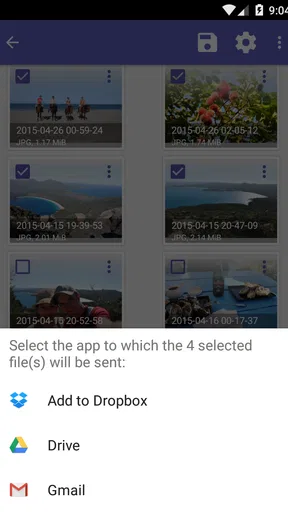
One of the standout features is the ability to upload recovered files directly to cloud services like Google Drive or Dropbox. This not only saves space on your device but also adds an extra layer of security. I also appreciate the app's no-nonsense approach, focusing purely on functionality without any superfluous bells and whistles.
Room for Improvement
While DiskDigger Pro is a powerhouse in recovery, it’s not without its quirks. The full scan can be a bit slow, especially if your device is packed with data. Also, some users might find the interface a tad outdated. However, these are minor inconveniences in the grand scheme of file recovery.
Is It Worth It?
If you're someone who frequently loses files or photos, then absolutely, yes! The peace of mind knowing you can recover lost data is invaluable. DiskDigger Pro does exactly what it promises, and it does it well.
In conclusion, DiskDigger Pro file recovery is a must-have tool for anyone prone to digital mishaps. It’s like having a safety net for your data, ensuring that even if you slip, you won't hit the ground. So go ahead, give it a try, and never worry about losing your precious memories again.
Verdict
Strengths of DiskDigger Pro file recovery
- Recovers a wide range of file types.
- Intuitive and user-friendly interface.
- Offers both basic and advanced recovery options.
- Regular updates with new features.
- Supports both internal and external storage.
Limitations of DiskDigger Pro file recovery
- Requires root access for full functionality.
- Free version has limited features.
- May not recover all files completely.
- Can be resource-intensive on older devices.
- Interface design is somewhat outdated.
Similar Picks in This Category
View All
Google LLC4.0

Gboard - the Google Keyboard
Google LLC4.5

Google Play services
Google LLC4.3

Google Play Store
Google LLC4.9

Files by Google
Google LLC4.5

SHAREit: Transfer, Share Files
Smart Media4U Technology Pte.Ltd.4.3
Frequently Asked Questions
What is DiskDigger Pro and how does it work?
DiskDigger Pro is a powerful file recovery application designed to retrieve lost or deleted files from your Android device. It works by scanning your device’s memory to identify recoverable files, such as photos, videos, documents, and more. The app provides both basic and advanced recovery options, allowing users to perform thorough scans and recover files with ease.
Is DiskDigger Pro safe to use on my device?
Yes, DiskDigger Pro is safe to use. It is a reputable app with a strong track record of helping users recover lost data. The app requires access to your device’s storage to perform its scans, but it does not harm or alter your files in any way during the recovery process. Always ensure you download from a trusted source.
Do I need to root my device to use DiskDigger Pro effectively?
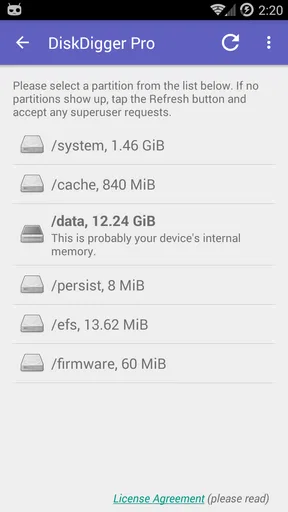
While DiskDigger Pro can perform basic scans on non-rooted devices, rooting your device is recommended for a more comprehensive recovery. Root access allows the app to perform deeper scans and recover a wider range of files. However, rooting can void your warranty and should be done with caution.
What types of files can DiskDigger Pro recover?
DiskDigger Pro is capable of recovering a wide variety of file types. This includes common formats such as JPEG, PNG, MP4, and MP3 files, as well as less common formats like DOC, PDF, and ZIP files. The app’s advanced scanning features make it versatile for recovering different file types you might have lost.
How does DiskDigger Pro compare to the free version?
DiskDigger Pro offers several advantages over the free version, including the ability to recover more file types and perform deeper scans. The Pro version provides advanced recovery options, making it more effective for users who need to retrieve specific or hard-to-recover files. It’s a worthwhile investment for comprehensive data recovery.
